Apple Watch Series 12: Is It Worth It?
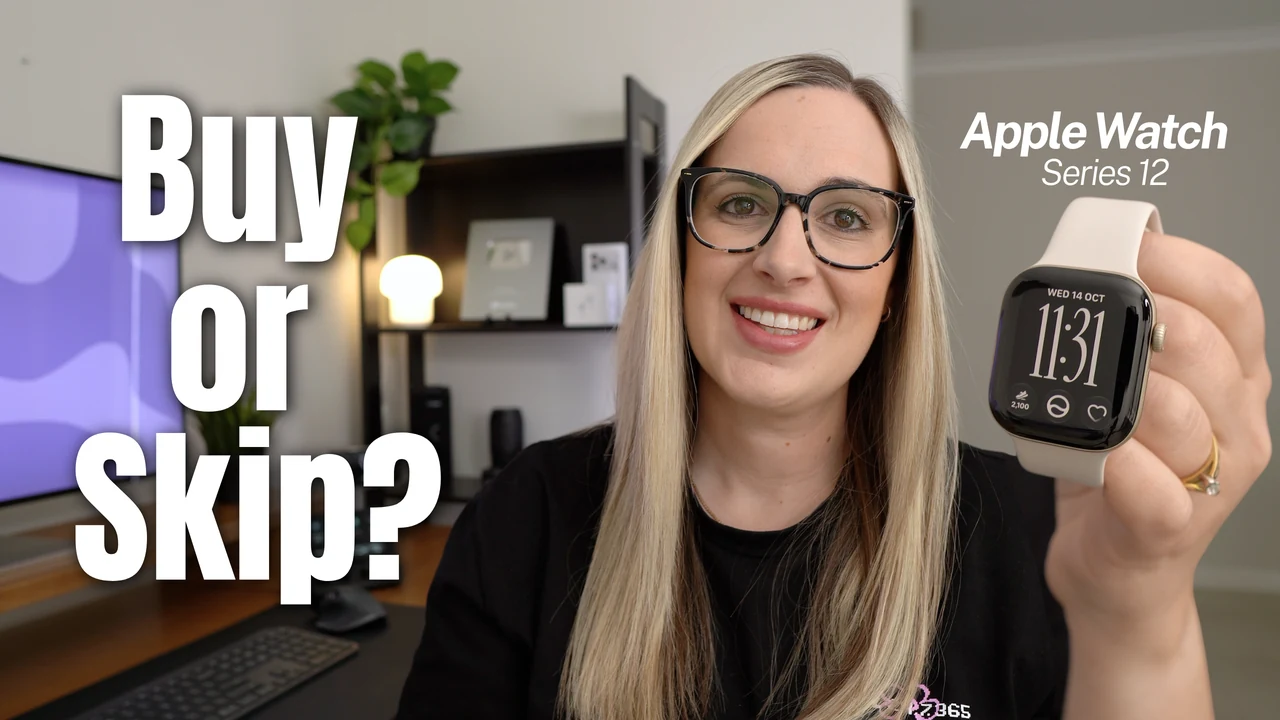
I've been wearing the Apple Watch Series 12 every day for the last few weeks. It's the most comfortable Apple Watch I've worn, the battery lasts longer than my old one, and every morning it tells me whether I'm ready for the day or should take it easy.
But it's not cheap, and it comes in a lot of versions, which can make it confusing to buy. So if you're thinking about getting one, here's everything you need to know: which one to pick, what's actually new, and whether it's worth it.
Which Series 12 Should You Buy?
When you go to order the Series 12 on the Apple website, you'll make a few choices in this order.
- Finish. There are three: aluminium, titanium and the new polished ceramic. Aluminium is the cheapest, starting at $399 US. Titanium starts at $699 and ceramic starts at $899. The titanium and ceramic look beautiful, but they're a big jump in price, so I'm sticking with aluminium here.
- Colour. The aluminium comes in light gold, black, space grey and a new colour called dark bronze.
- Size. Pick 42mm or 46mm.
- GPS or GPS + Cellular. More on this below.
- Band. The Sport Band is included in the price, and there are plenty of others if you want something different. You'll also pick a band size: S/M (small to medium) or M/L (medium to large).
GPS or cellular?
The GPS model needs your iPhone nearby for calls and messages. The cellular model works on its own, so you can go for a walk without your phone and still get calls and texts.
The catch is you'll need to add it to your plan with your mobile carrier, which is an extra monthly cost on top of the watch. My advice: most people are fine with the GPS model. Only go cellular if you really want to leave your phone at home.
Band size
I have the small to medium band and wear it on the second last hole, because I like my watch a little bit loose. I'd probably be fine with the medium to large too, so I sit somewhere in the middle.
The one on my wrist is the 42mm aluminium in light gold with the sand Sport Band.
How It Feels to Wear
The first thing I noticed when I put it on was how thin it is. This is Apple's thinnest watch, at under 10mm.
I'm coming from the Apple Watch SE, and the Series 12 sits so much flatter on my wrist. It's really comfortable, and I've been wearing it to bed for sleep tracking without it bothering me at all.
Battery and Charging
You get up to 24 hours of battery, and that's pretty much what I've been getting. Charging is faster too:
- 15 minutes on the charger gives you up to 12 hours of use
- If you forget to charge it, five minutes before bed is enough for a night of sleep tracking
Here's my routine. I pop it on the charger before I have a shower at night, and by the time I'm ready for bed it's back to 100%. Then it easily gets me through the night and the whole next day.
Compared to my older watch, the battery is lasting noticeably longer and the charging is quicker.
The New Heart Rate Sensor
The biggest change this year is on the back. Flip the watch over and the sensor looks a bit different.
Apple redesigned it with bigger LEDs and a ring of light sensors around them. That means it can check your heart rate every five seconds, all day long. Older watches only check every few minutes, and only when you're still. Apple says it's the most accurate heart rate sensor in any smartwatch.
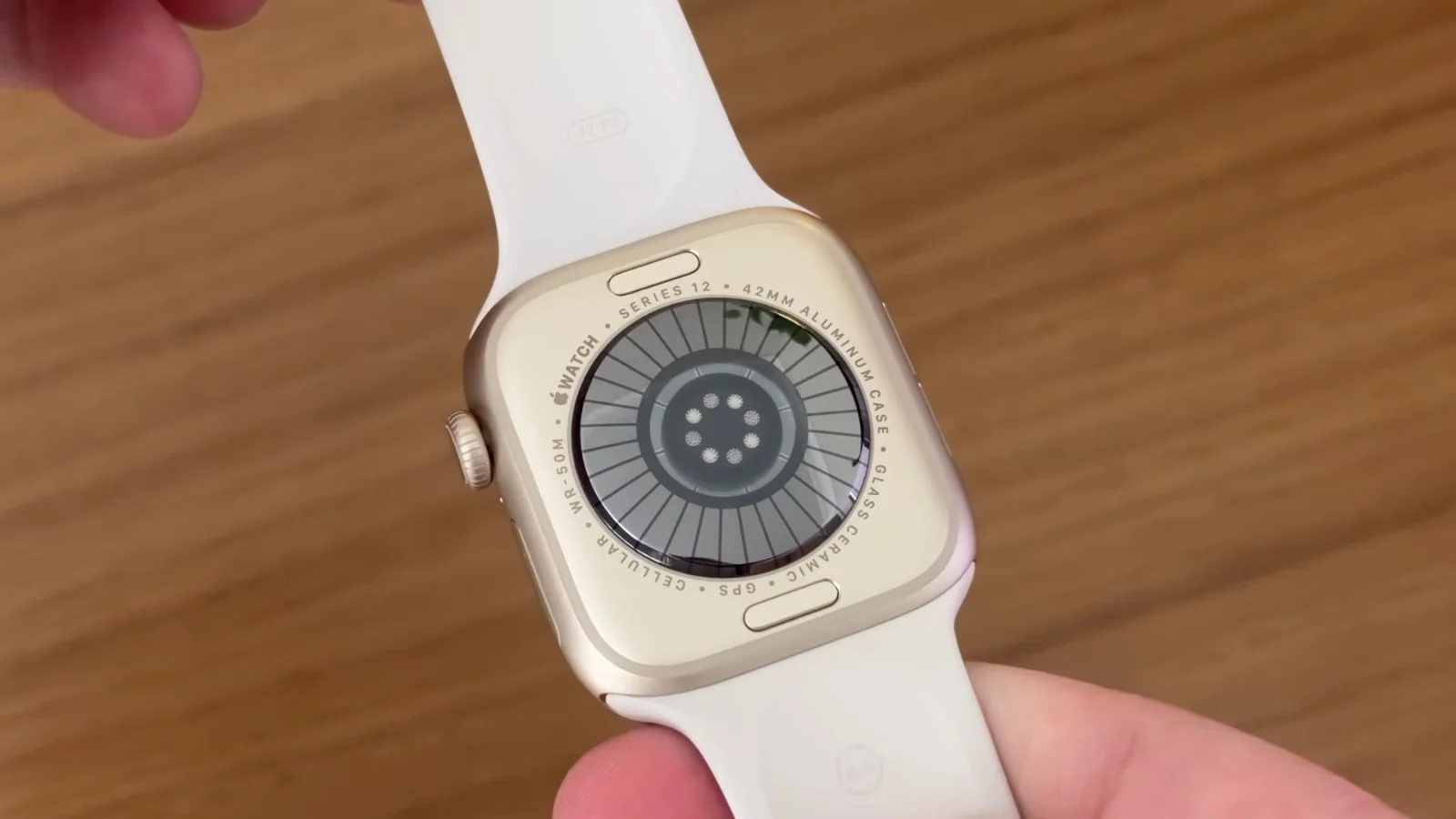
That sensor is what makes the next two features possible.
Live Heart Rate and Steps on Your Watch Face
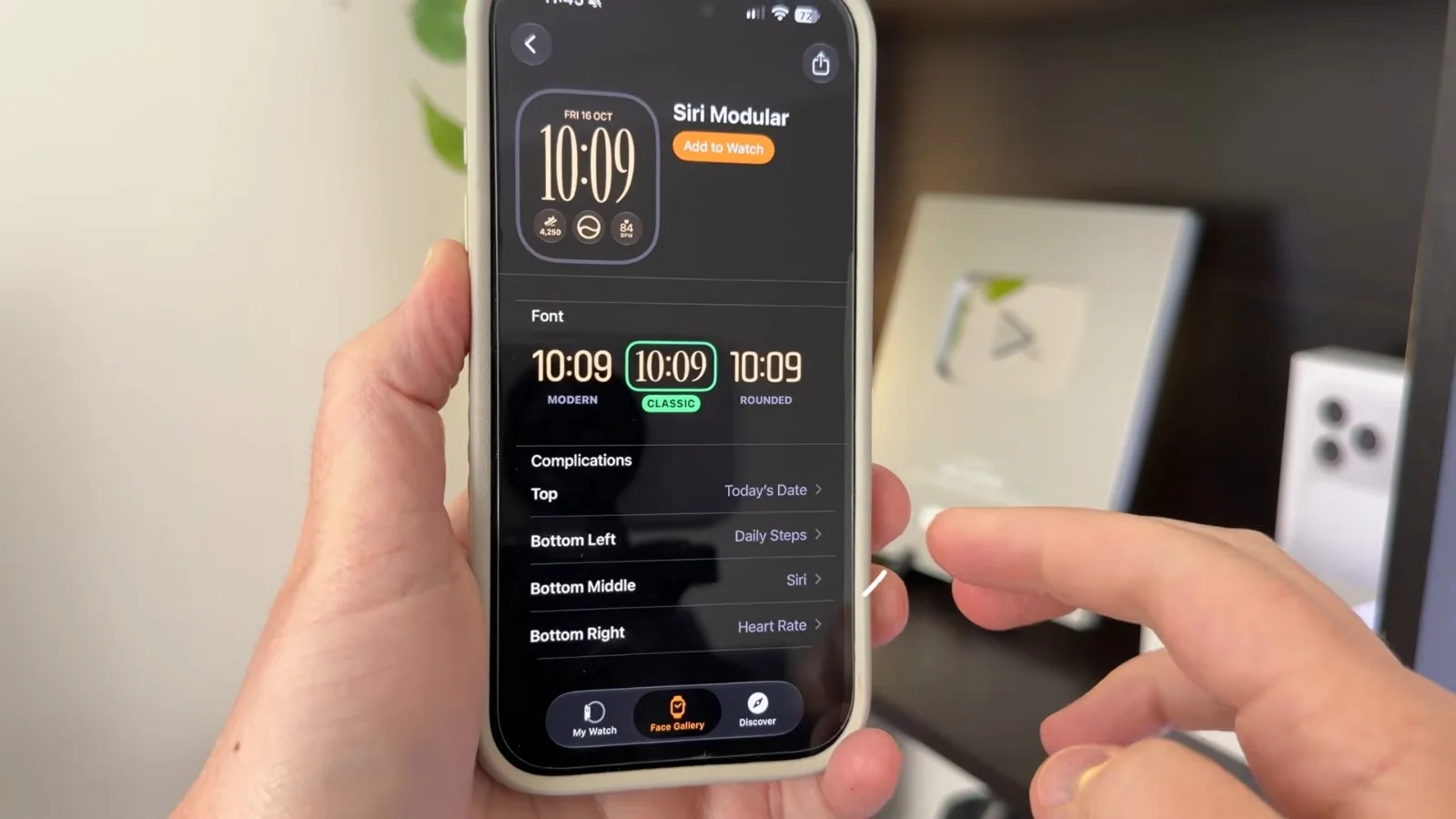
You can now put your live heart rate on your watch face, and new to the Series 12, your step count too. It updates as you walk, and I love that I can glance at my wrist anytime and see both.
I've got them on the new Siri Modular watch face, which I think looks really nice. To add them:
- Open the Apple Watch app on your iPhone.
- Tap Face Gallery.
- Choose Siri Modular.
- Pick Heart Rate and Daily Steps for the complications.
Readiness Score
The second thing the new sensor gives you is a really nice feature called Readiness. Every morning, your watch gives you a score from 0 to 10, based on how you've slept, how active you've been and your overnight heart rate. Then it tells you whether to go for it or take it easy.
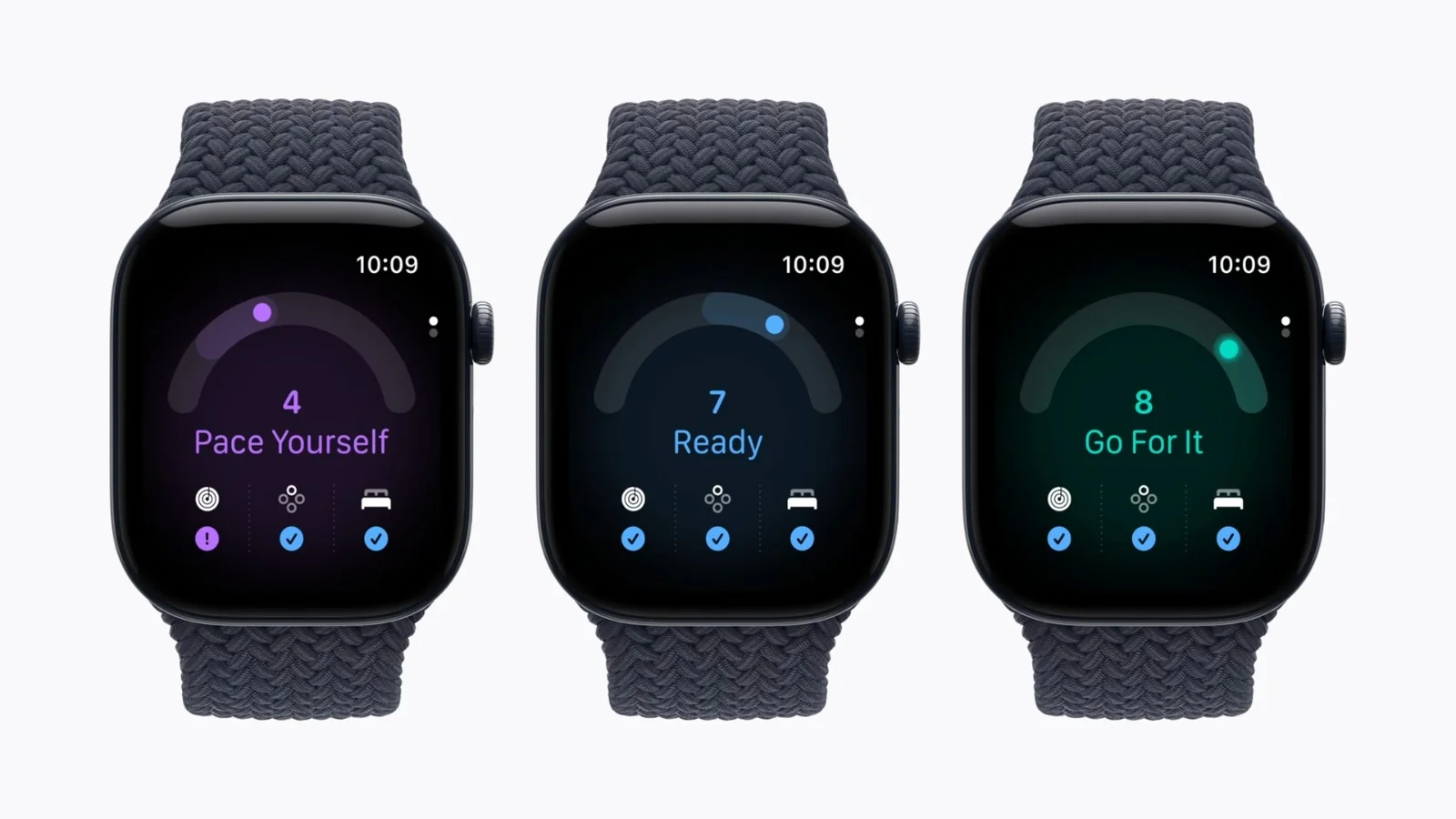
You don't have to be into fitness for this to be useful. If it says pace yourself, maybe today isn't the day to clean out the garage.
I've been sleeping pretty well lately, so mine is usually around an 8. But a few days ago I had a bad night's sleep and felt really low on energy. My score was down at a 5, which felt right, because I just didn't feel great.
One thing to know: it needs about a week of you wearing the watch to bed before it can give you your first score.
Is It Worth It?
If you have an older Apple Watch, or you're buying your first one, I think it's great. The comfort, the battery and the new heart rate sensor are all big improvements you'll notice every day.
If you have a Series 10 or 11, the main things you'll gain are:
- The new heart rate sensor
- Live heart rate and live steps on your watch face
- The Readiness score
- Fast charging
If those sound like features you'd use every day, it's worth the upgrade. If not, your 10 or 11 is still a great watch.
Series 12 or Apple Watch SE 3?
If you mainly want notifications, step count or basic heart rate, have a look at the Apple Watch SE 3. It starts at $249 US, so you'll save quite a bit of money.
I used the SE for years and was more than happy with it. But I'll be honest, now that I've had the Series 12, I feel a bit spoiled. Here's what the Series 12 gives you over the SE:
- Thinner design
- A bigger screen that's twice as bright
- 24 hours of battery instead of 18
- The new heart rate sensor, which brings the Readiness score and live heart rate and steps on your watch face
- The ECG app and blood oxygen, which the SE doesn't have
If those things matter to you, the Series 12 is worth the extra money.
Watch the Full Video
You can see the Series 12 up close in my full video below.